
Your clients are tired of email threads. They want to know what's happening with their project without chasing you for updates. They want to review deliverables without downloading email attachments. They want to approve milestones without confusion about what they're signing off on.
A client portal solves all of this. It's a dedicated space where clients can view project progress, access deliverables, provide feedback, and approve work-all without needing access to your internal project management chaos.
But here's the problem: most project management software treats client collaboration as an afterthought. They offer "guest access" that dumps clients into the same confusing interface your team uses. Or they require expensive third-party integrations that fragment your workflow.
This guide covers everything you need to know about client portal software-what to look for, how to set it up, and why native client portals beat bolted-on solutions every time.
What is a Client Portal?
A client portal is a secure, branded space where external stakeholders can interact with your projects without accessing your internal workspace. Think of it as a professional storefront for your project work-clients see exactly what they need to see, nothing more.
Client Portal vs. Guest Access
Many tools claim to offer "client collaboration," but there's a crucial difference between a true client portal and basic guest access:
Guest Access (What Most Tools Offer):
- Clients see the same interface as your team
- Limited control over what's visible
- Confusing for non-project-management users
- Often requires training clients
- No branding customization
- Comments mixed with internal discussions
True Client Portal (What You Actually Need):
- Simplified, client-focused interface
- Granular control over visibility
- Intuitive for anyone to use
- Zero training required
- Your branding, not the tool's
- Separate client-facing communication
The difference matters. When clients struggle with confusing interfaces, they default to email-defeating the purpose of having a collaboration tool in the first place.
Why Freelancers and Agencies Need Client Portals
If you work with external clients, a client portal isn't a nice-to-have-it's essential for professional operations.
Reduce Status Update Requests by 80%+
The average freelancer spends 5-10 hours weekly on client communication. Much of this is answering "how's my project going?" questions. With a client portal, clients can check progress themselves anytime. They see what's complete, what's in progress, and what's coming next.
This self-service visibility dramatically reduces interruptions. You spend less time writing status emails and more time doing billable work.
Create Professional Impressions
First impressions matter. When clients log into a branded portal with organized project information, they perceive you as professional and organized. Compare this to asking clients to dig through email threads or learn complex project management interfaces.
A polished client portal justifies premium rates. It signals that you run a serious operation, not a one-person scramble.
Document Everything Automatically
Client portals create automatic documentation. Every comment, approval, and file upload is timestamped and recorded. When disputes arise-"I never approved that!"-you have clear evidence.
This documentation protects both parties. Clients feel confident their feedback is captured. You have proof of decisions and sign-offs.
Streamline Feedback Collection
Scattered feedback kills productivity. When clients send feedback via email, text, Slack, and verbal calls, important notes get lost. A client portal centralizes feedback in context-comments live on the specific deliverables they reference.
Organized feedback means fewer revision rounds and less confusion about what needs to change.
Speed Up Approvals
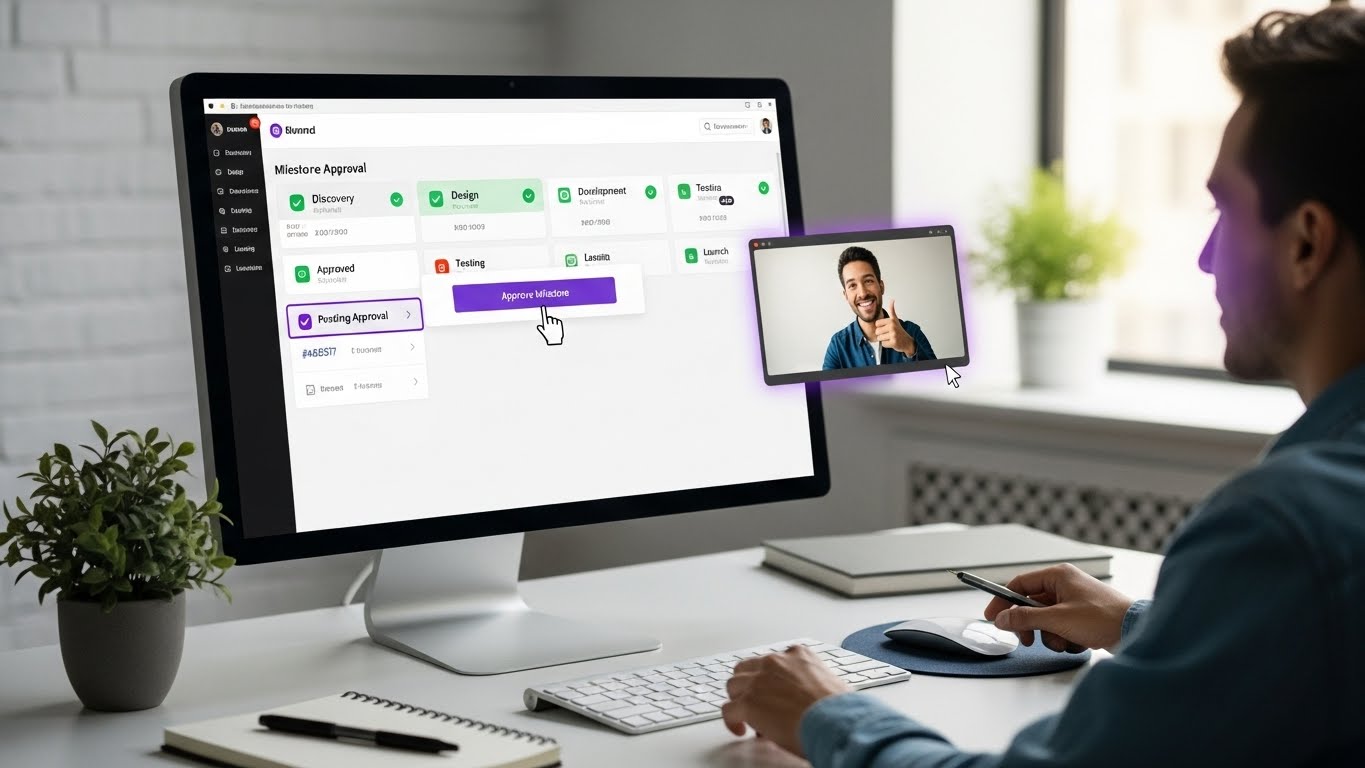
Getting client sign-off shouldn't require weeks of email back-and-forth. With formal approval workflows in your portal, clients can review deliverables and approve with a single click. The approval is documented, triggering the next phase automatically.
Faster approvals mean faster project completion and faster payment.
Essential Client Portal Features
Not all client portals are created equal. Here's what to look for:
1. Project Dashboard Overview
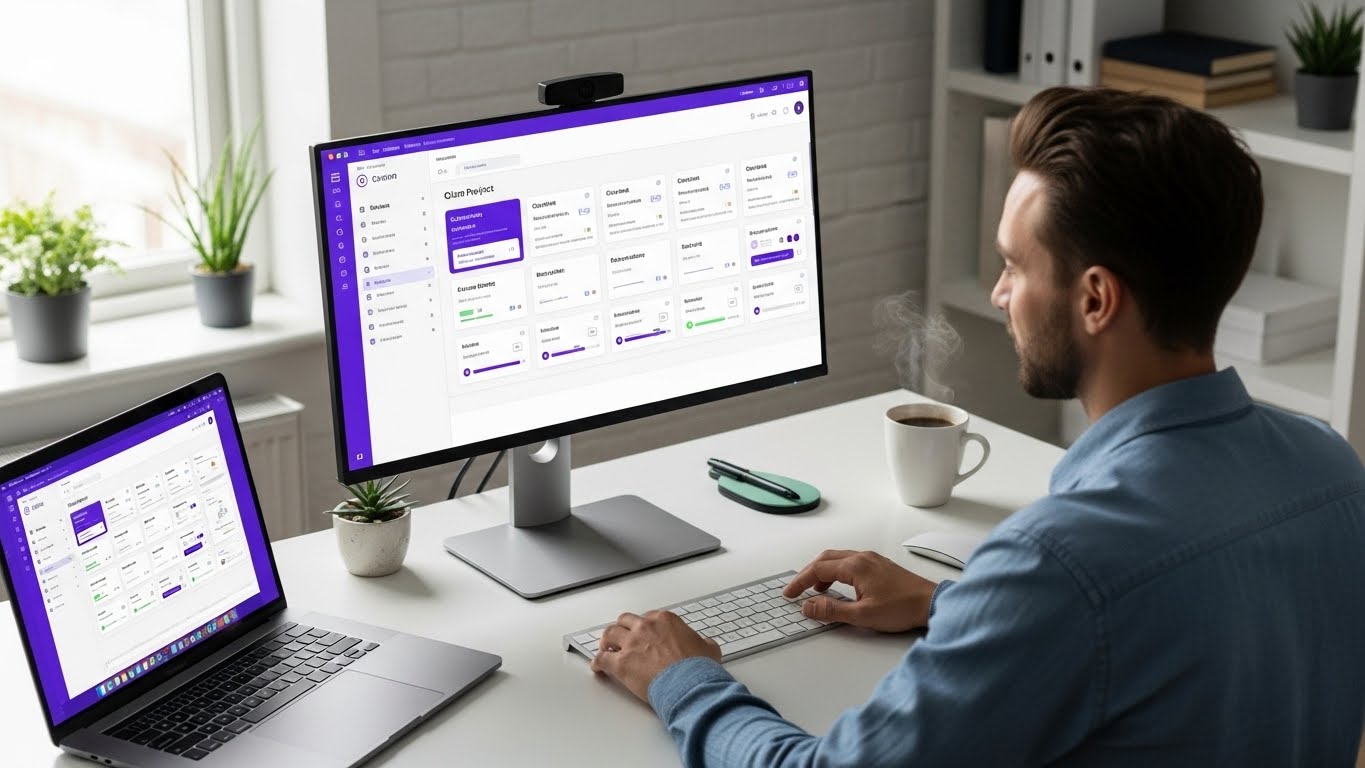
Clients should see their project status at a glance. What percentage is complete? What milestones are done? What's the current phase? A clean dashboard answers "how's it going?" without requiring a meeting.
Look for:
- Visual progress indicators
- Milestone status summary
- Upcoming deadline visibility
- Activity feed of recent updates
2. Milestone and Deliverable Tracking
Projects are more than task lists-they're collections of meaningful deliverables. Your portal should organize work into milestones that clients understand, not internal task breakdowns that confuse them.
Look for:
- Clear milestone definitions
- Deliverable organization per milestone
- Status indicators (pending, in review, approved)
- Due date visibility
3. File and Asset Access
Clients need easy access to their files. Completed deliverables, reference materials, contracts-everything should live in one organized location. No more hunting through email for that logo file from three months ago.
Look for:
- Organized file structure
- Version history
- Preview capabilities
- Easy download options
4. Contextual Feedback
The best feedback is specific. When clients can comment directly on deliverables rather than sending generic emails, feedback quality improves dramatically. "The blue on slide 3 should be darker" is more actionable than "some colors need work."
Look for:
- Comments on specific items
- Thread support for discussions
- @mention notifications
- Feedback history
5. Approval Workflows
Verbal or email approvals create ambiguity. A proper approval workflow includes:
- Clear "Approve" action
- Timestamp recording
- Approval history
- Notification to relevant parties
Look for:
- Formal approval buttons (not just status changes)
- Documented approval history
- Conditional approvals (approve with changes)
- Approval notifications
6. Branding Customization
Your portal should look like YOUR business, not a generic software interface. Custom branding reinforces professionalism and creates a cohesive client experience.
Look for:
- Logo placement
- Color customization
- Custom domain options
- White-label capabilities
7. Permission Controls
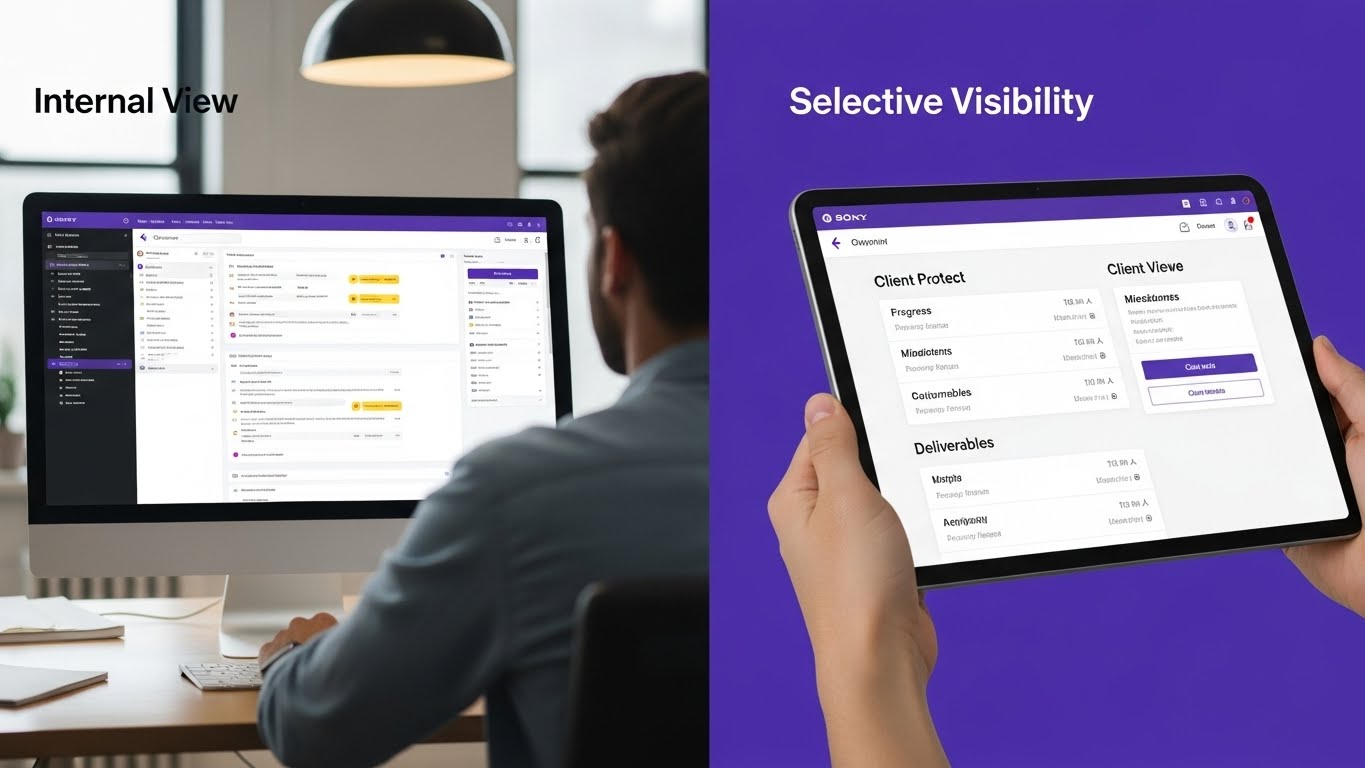
Not everything should be visible to clients. Internal discussions, draft work, and administrative details should stay hidden. Granular permissions let you control exactly what each client sees.
Look for:
- Role-based access control
- Per-project permissions
- Selective visibility settings
- Internal vs. external marking
8. Notification Management
Clients should receive relevant updates without notification overload. Configurable notifications ensure clients know when their attention is needed without being bombarded by every internal change.
Look for:
- Customizable notification settings
- Email digest options
- @mention notifications
- Milestone completion alerts
Client Portal Software Options
Let's examine the landscape of client portal solutions.
Dedicated Client Portal Tools
These tools focus specifically on client portals, often integrating with your existing project management stack.
SuperOkay
- Purpose-built for creative agencies
- Beautiful templates for design work
- Starts at $12/month for solo plan
- Good for: Designers, marketers wanting polished presentation
- Limitation: Requires separate PM tool
Kitchen.co
- Combines portal with basic PM features
- Organized "like a computer" with folders
- Communication, projects, payments in one
- Good for: Small agencies wanting simplicity
- Limitation: Limited advanced PM features
Client Portal (WordPress Plugin)
- Self-hosted on your WordPress site
- Full customization control
- One-time purchase
- Good for: WordPress users wanting ownership
- Limitation: Requires technical setup
Project Management Tools with Built-in Portals
These tools include client portal functionality alongside full project management.
Protawk
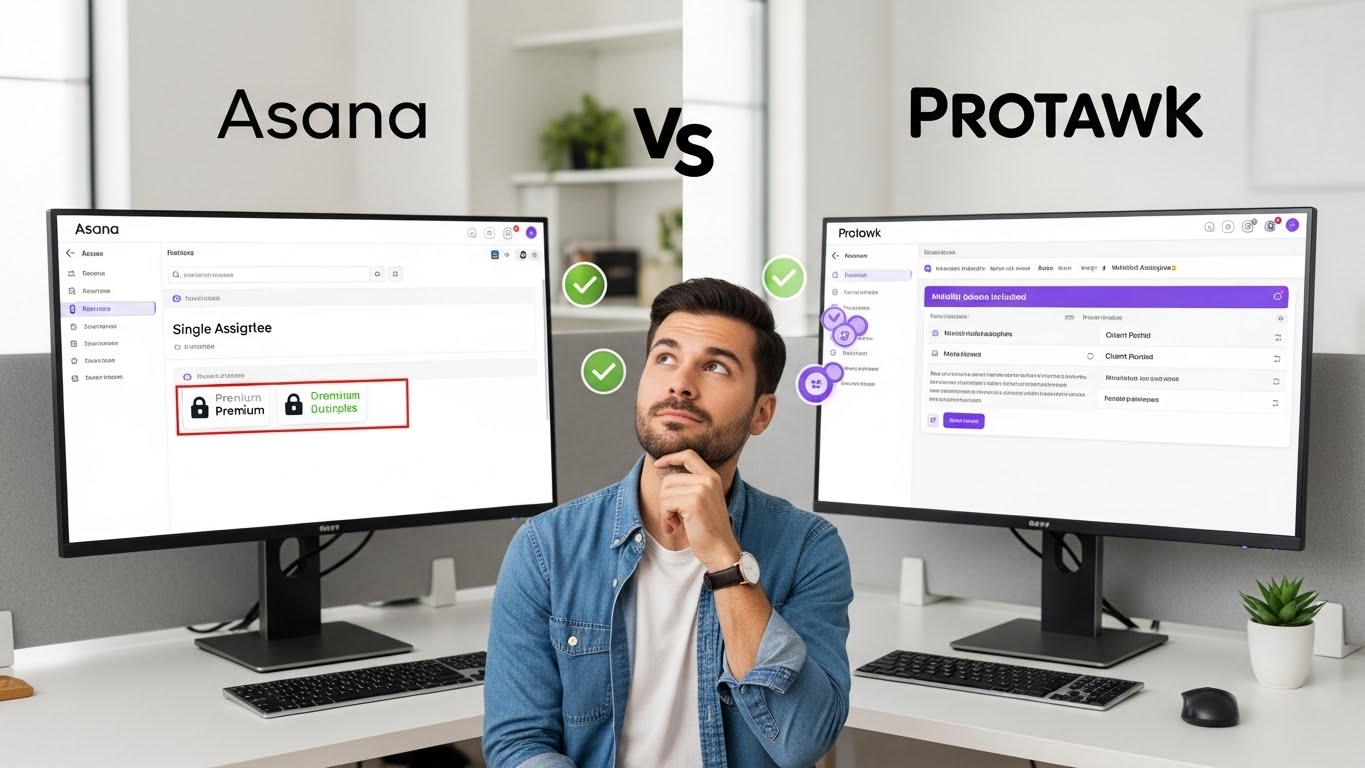
- Native client portal included
- Milestone approval workflows
- Payment tracking integration
- 3 project views (Kanban, Gantt, Calendar) for internal use
- Good for: Freelancers, agencies wanting all-in-one
- Standout: Portal is built-in, not add-on
Teamwork
- Robust client access features
- Time tracking and invoicing
- Starts at $10.99/user/month
- Good for: Agencies needing time billing
- Limitation: Portal is simplified guest access
Bonsai
- Designed for freelancers
- Contracts, invoicing, portal combined
- Starts at $21/month
- Good for: Solo freelancers wanting business tools
- Limitation: Limited team collaboration
Flowlu
- CRM + PM + Portal combined
- Free tier available
- Extensive customization
- Good for: Businesses wanting CRM integration
- Limitation: Learning curve for full features
Enterprise Options
For larger organizations with compliance requirements.
Clinked
- White-label portal capabilities
- Enterprise security features
- Custom builds available
- Good for: Professional services firms
- Limitation: Enterprise pricing
ClickUp
- Guest access with limited views
- Extensive PM features
- White-label only on Enterprise
- Good for: Teams already using ClickUp
- Limitation: True portal requires top tier
Why Native Portals Beat Bolt-On Solutions
You might wonder: why not just use a dedicated portal tool alongside your existing PM software? While that works, native portals offer significant advantages.
Single Source of Truth
When your portal is built into your PM tool, there's no sync issues. Project updates automatically appear in the portal. File uploads are immediately accessible. Approvals update task status without manual intervention.
Bolt-on solutions require keeping two systems in sync-a maintenance burden that often leads to outdated client-facing information.
Reduced Tool Sprawl
Every additional tool adds:
- Another subscription cost
- Another login to manage
- Another system to learn
- Another potential point of failure
- Another security consideration
Native portals eliminate an entire category of software from your stack.
Seamless Workflows
With native portals, workflows flow naturally. Create a milestone, mark it ready for review, client gets notified, client approves, next phase begins. No manual updates across systems required.
Bolt-on solutions create friction at every handoff point. Update the PM tool, then update the portal. Receive approval in the portal, then update the PM tool. These manual steps slow you down and introduce errors.
Consistent Experience
When portal and PM are unified, everything looks and works consistently. The milestone your team creates is exactly what the client sees. No translation layer that might misrepresent status or details.
Lower Total Cost
While dedicated portal tools seem affordable individually, costs add up:
- Portal tool: $15-30/month
- PM tool: $10-25/user/month
- Integration tool (Zapier): $20+/month
- Time spent managing integrations: Priceless
A PM tool with native portal functionality often costs less than this fragmented approach while working better.
Setting Up Your Client Portal
Ready to implement a client portal? Here's how to do it right.
Step 1: Define What Clients Need to See
Before configuring anything, list what clients actually need:
Usually Needed:
- Project progress overview
- Milestone status and deadlines
- Completed deliverables
- Pending approvals
- Their feedback and comments
Usually NOT Needed:
- Internal task breakdowns
- Team discussions
- Draft work
- Administrative details
- Other clients' projects
Start restrictive and add visibility as needed, not the reverse.
Step 2: Create Clear Project Structure
Organize your projects for client comprehension:
Use Milestones, Not Tasks Clients think in deliverables, not tasks. "Website Design Complete" means something. "Design homepage header component" doesn't.
Meaningful Phase Names Use phases clients understand: "Discovery," "Design," "Development," "Launch." Avoid internal jargon.
Deliverable Descriptions Each deliverable should clearly describe what the client receives. Don't assume they know what "final assets" means.
Step 3: Configure Permissions Carefully
Set up permission levels that make sense:
Client Owner: Full visibility into their project, approval rights Client Stakeholder: View progress, comment, but not approve Client Viewer: Read-only access to approved materials
Test permissions by viewing your portal as each role. Would a client understand what they're seeing?
Step 4: Customize Branding
Make the portal yours:
Logo: Upload your logo, not the software's Colors: Match your brand palette Language: Customize labels if possible (some tools allow this) Welcome Message: Add a personal touch
Step 5: Prepare Onboarding Materials
Clients shouldn't need training, but a brief orientation helps:
Welcome Email Template Explain what the portal is, how to access it, and what to expect.
Quick Reference One-page guide covering: how to check status, how to provide feedback, how to approve deliverables.
Support Contact Who to reach if they have questions (probably you).
Step 6: Establish Communication Expectations
Set clear guidelines:
- All project feedback should go through the portal
- Email is for urgent issues only
- Response times for portal messages
- How approvals work
Document these in your contract and portal welcome message.
Client Portal Best Practices
Keep It Simple
Resist the urge to show everything. Clients don't need to see your internal complexity. A clean, focused portal is more useful than a comprehensive one.
Rule of Thumb: If clients consistently ignore something in the portal, they probably don't need it. Remove it.
Update Regularly
A stale portal is worse than no portal. If clients log in to find the same status they saw two weeks ago, they'll lose trust and revert to email.
Build portal updates into your workflow:
- Update status when phases complete
- Upload deliverables immediately when ready
- Respond to comments within 24 hours
Make Feedback Easy
The harder feedback is to give, the less useful it becomes. Ensure your portal supports:
- Comments without complex navigation
- File attachments for visual feedback
- Thread organization for conversations
If your portal makes feedback difficult, clients will email instead-defeating the purpose.
Celebrate Milestones
Don't just mark milestones complete silently. Use portal communications to celebrate progress:
"Great news! Phase 2 is complete and ready for your review. Here's what we accomplished..."
Positive communication builds relationship strength alongside project progress.
Train Your Team
Your team needs to understand portal etiquette:
- What's appropriate for client-visible comments
- How to mark deliverables ready for review
- When to use internal notes vs. client-facing updates
- How to handle sensitive discussions
Document Approval Processes
Create a clear approval process and stick to it:
- Deliverables uploaded and marked "Ready for Review"
- Client notified automatically
- Client reviews and provides feedback OR approves
- If feedback: address and re-submit for review
- If approved: milestone closes, next phase begins
Document this process in your contracts and portal welcome materials.
Common Client Portal Mistakes
Mistake 1: Giving Clients Full Access
Some tools only offer all-or-nothing access. Clients shouldn't see internal discussions, draft work, or administrative details. If your tool can't limit visibility, clients will be overwhelmed and confused.
Mistake 2: Too Many Notifications
Clients who receive notifications for every minor update will disable notifications entirely-then miss important requests. Configure notifications for meaningful events: approvals needed, deliverables ready, milestones complete.
Mistake 3: Inconsistent Usage
If some projects use the portal and others don't, clients get confused about where to look. Commit to portal-first communication for all client work. Consistency builds habits.
Mistake 4: Ignoring Mobile Experience
Many clients check status on phones. If your portal isn't mobile-friendly, you've created frustration. Test the client experience on mobile before launch.
Mistake 5: No Onboarding
Dropping clients into a portal without orientation leads to confusion and non-adoption. Take five minutes to walk clients through the portal during project kickoff. Show them how to check status, provide feedback, and approve deliverables.
Mistake 6: Using Portal for Everything
Some conversations don't belong in the portal-sensitive negotiations, relationship issues, major scope discussions. The portal is for project execution, not every client interaction.
Measuring Client Portal Success
How do you know if your portal is working? Track these metrics:
Email Volume Reduction
Compare client email volume before and after portal implementation. A successful portal should reduce project-related emails by 50%+.
Time to Approval
Measure how long from "ready for review" to "approved." Portals should accelerate this compared to email-based approvals.
Client Engagement
Are clients actually using the portal? Track logins, comment activity, and approval completion. Low engagement suggests onboarding or usability issues.
Client Satisfaction
Ask clients directly:
- Is the portal easy to use?
- Can you find what you need?
- Do you prefer this to email updates?
Your Time Savings
Track hours spent on client communication before and after. The goal is significant time savings that you can redirect to billable work.
Why Protawk's Client Portal Stands Out
We built Protawk with freelancers and agencies in mind. Our client portal isn't an afterthought or bolt-on-it's a core feature designed for professional client collaboration.
Built-In, Not Added On
Protawk's client portal is native to the platform. No integrations to configure, no sync issues to manage, no additional costs. Your projects and client view are unified from the start.
Milestone Approval Workflows
Unlike simple "guest access" that other tools offer, Protawk includes formal approval workflows. Clients approve milestones with documented sign-off, triggering next phases automatically.
Payment Tracking Integration
Protawk connects milestones to payments. Track which deliverables have been paid, which are pending, and which are blocked on approval. Your project management and business operations work together.
Professional Without Complexity
We obsessed over making the client experience simple. Clients see clean project dashboards, organized deliverables, and clear approval actions. No training required, no confusing interfaces.
Selective Visibility Controls
Full control over what clients see. Internal discussions stay internal. Draft work stays hidden until ready. Clients see a polished, curated view of your project-not your internal process.
Multiple Project Views (For You)
While clients get a simplified portal view, you get 3 powerful views for internal work: Kanban, Gantt, and Calendar. Best of both worlds.
Get Started with Client Portals Today
Professional client management isn't optional in competitive markets. Clients expect visibility, communication, and organization. Delivering anything less costs you relationships and referrals.
A well-implemented client portal transforms your client experience. Status anxiety disappears. Feedback flows smoothly. Approvals happen faster. And you spend less time on communication overhead and more time on work that matters.
Protawk gives you everything you need: powerful project management for your team, professional client portal for your clients, and milestone workflows that connect them seamlessly.
Set up your first client portal today. See why freelancers and agencies trust Protawk for professional client collaboration.
Because your clients deserve better than email threads and confusion.