
Should you use a Kanban board or a Gantt chart? The internet is full of "Kanban vs Gantt" articles that declare one superior. But the real answer is: both, depending on what question you're asking.
Kanban answers: "What's the status of work right now?" Gantt answers: "When will work be done?"
Different questions. Different tools. Understanding when to use each-and how to combine them-is the key to effective project visualization.
This guide cuts through the debate. Learn what each view does best, when to use each, and how modern project management software lets you use both for the same project.
Understanding Kanban
What Kanban Shows
A Kanban board visualizes work as cards moving through columns:
TO DO          IN PROGRESS       IN REVIEW        DONE
+---------+   +---------+       +---------+      +---------+
| Task A  |   | Task C  |       | Task E  |      | Task G  |
+---------+   +---------+       +---------+      +---------+
| Task B  |   | Task D  |                        | Task F  |
+---------+   +---------+                        +---------+
You immediately see:
- What's waiting to start
- What's being worked on
- What's blocked or in review
- What's complete
Kanban Strengths
Current State Visibility Kanban shows NOW. One glance reveals team status without reading updates or asking questions.
Flow Visualization Work flows left to right. Bottlenecks become visible-too many cards in one column signals problems.
Flexibility No dates, no timelines. Work moves when it's ready. Perfect for continuous flow and changing priorities.
Simplicity Anyone understands Kanban instantly. Drag cards, see progress. No training required.
Work In Progress (WIP) Limits Kanban supports limiting simultaneous work, preventing overcommitment and improving focus.
Kanban Weaknesses
No Timeline Kanban doesn't show WHEN. How long has that task been "In Progress"? When will it finish? Kanban doesn't say.
No Dependencies Task A must finish before Task B can start? Kanban doesn't visualize this relationship.
No Duration All cards look the same regardless of whether they take 1 hour or 1 month.
Planning Challenges Without timeline visibility, planning complex projects with deadlines is difficult.
Best For
- Daily work management
- Continuous workflows (support, maintenance)
- Teams practicing agile/lean
- Work without fixed deadlines
- Visual status communication
Understanding Gantt Charts
What Gantt Shows
A Gantt chart visualizes work as bars on a timeline:
           Week 1      Week 2      Week 3      Week 4
           -----------------------------------------
Task A     ========
Task B              ============
Task C                          ========
Task D                                   ============
           |                    |
           Today                Deadline
You immediately see:
- When each task starts and ends
- How long each task takes
- What's happening in parallel
- Project timeline and deadline
Gantt Strengths
Timeline Visibility Gantt shows WHEN. Project duration, phase timing, and deadline relationships are clear.
Duration Representation Long tasks get long bars. You see that Task A takes a week while Task B takes two.
Dependency Visualization Arrows connect dependent tasks. If Task A delays, you see impact on Task B.
Resource Planning See who's doing what when. Identify conflicts and overallocation.
Client Communication Clients understand timelines. Gantt charts communicate project scope professionally.
Gantt Weaknesses
Current Status Gantt doesn't show status well. Is that task 10% done or 90%? The bar doesn't say.
Complexity Dependencies, milestones, constraints-Gantt charts can become complicated quickly.
Maintenance When reality diverges from plan (always), Gantt charts need updating or become fiction.
Rigid Appearance Gantt charts imply certainty. Dates look fixed even when they're estimates.
Best For
- Project planning and scheduling
- Timeline-based projects
- Client proposals and communication
- Deadline-driven work
- Projects with dependencies
- Resource allocation
The Wrong Question
"Kanban vs Gantt" presents a false choice. It's like asking "Should I use a map or a speedometer?" Both serve different purposes.
Different Questions
Kanban answers:
- What should I work on next?
- Where's work getting stuck?
- What's our team's current capacity?
- What's in progress vs. waiting?
Gantt answers:
- When will this project finish?
- What comes before what?
- Can we meet this deadline?
- Where are scheduling conflicts?
Different Phases
Planning Phase: Gantt Map out the project timeline. Set milestones. Understand dependencies.
Execution Phase: Kanban Manage daily work. Track status. Maintain flow.
Reporting Phase: Both Gantt shows timeline progress. Kanban shows workflow health.
Different Audiences
Project Managers: Both-planning and execution Team Members: Kanban primarily-daily work focus Clients/Stakeholders: Gantt primarily-timeline communication Leadership: Both-status and timeline
Using Both Together
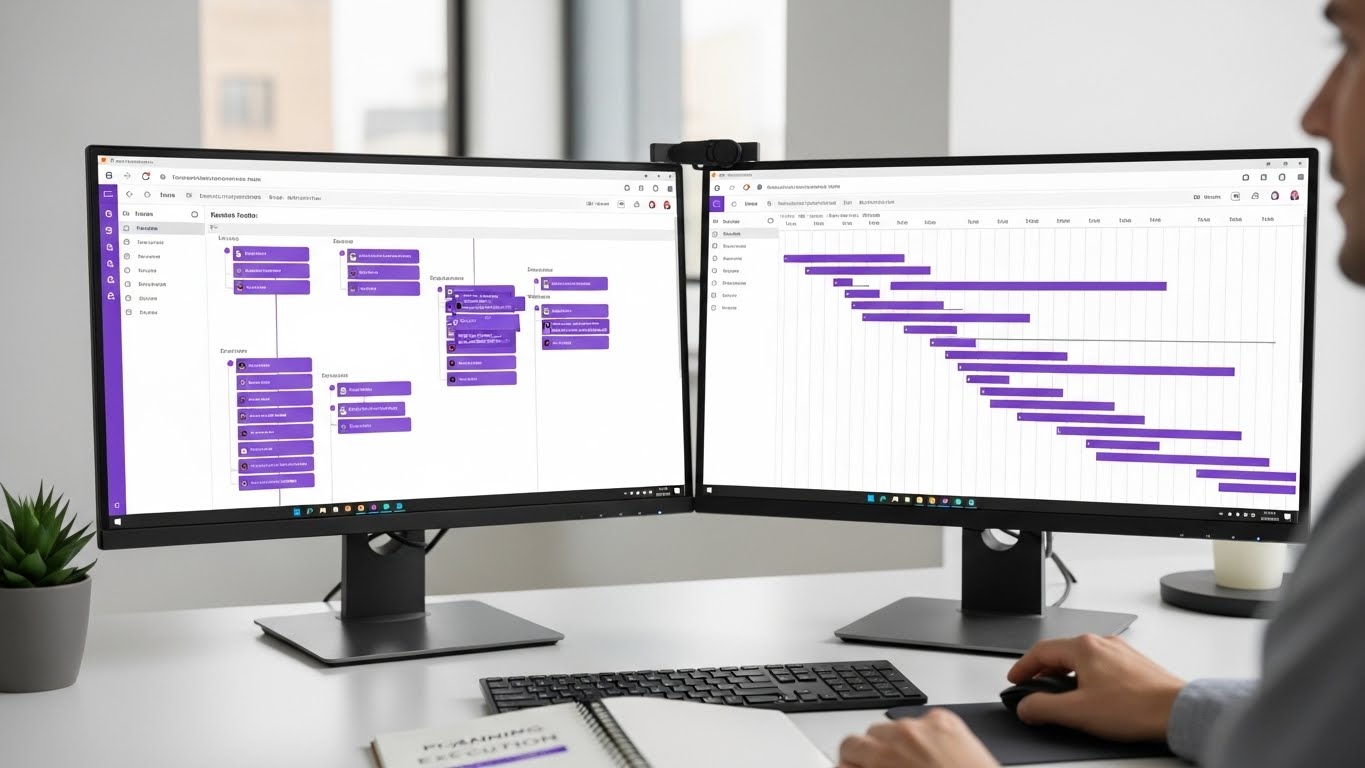
Modern project management tools let you view the same project data different ways.
The Integrated Approach
Single Source of Truth: One project, one set of tasks. Multiple views.
Gantt for Planning:
- Initial project setup
- Timeline creation
- Dependency mapping
- Deadline setting
Kanban for Execution:
- Daily work management
- Status tracking
- Flow optimization
- Team coordination
Both for Reporting:
- Gantt shows timeline progress
- Kanban shows workflow metrics
Practical Workflow
Monday Morning: Check Gantt
- Where are we on the timeline?
- What deadlines approach?
- Any scheduling conflicts?
Daily Work: Use Kanban
- What's next?
- Where are blockers?
- Move cards as work progresses
Weekly Planning: Both views
- Gantt: Are we on track?
- Kanban: What's our flow efficiency?
Client Updates: Gantt view
- Professional timeline presentation
- Clear milestone progress
Data Consistency
In good PM tools, updates in one view reflect in all views:
- Move Kanban card to "Done" = Gantt shows completion
- Adjust Gantt dates = Task due dates update
- Add task in Gantt = Appears in Kanban
No duplicate entry. No sync issues.
Choosing for Your Project
Project Characteristics
| Characteristic | Better View |
|---|---|
| Fixed deadline | Gantt |
| Continuous work | Kanban |
| Sequential phases | Gantt |
| Parallel workflows | Kanban |
| Client-facing | Gantt |
| Internal team | Either |
| Multiple dependencies | Gantt |
| Independent tasks | Kanban |
| Long duration (months) | Gantt |
| Short cycles (weeks) | Kanban |
Team Characteristics
| Team Type | Recommended Primary |
|---|---|
| Development team | Kanban |
| Creative agency | Both equally |
| Consulting firm | Gantt |
| Support team | Kanban |
| Event planning | Gantt |
| Product team | Kanban |
| Construction | Gantt |
| Marketing team | Both |
Industry Patterns
Software Development: Kanban primary Agile teams prefer continuous flow. Sprints use boards, not Gantt charts.
Creative/Design: Both Kanban for daily work, Gantt for client timeline communication.
Consulting/Professional Services: Gantt primary Fixed-scope projects with milestones and deadlines.
Manufacturing/Construction: Gantt primary Sequential dependencies and critical path matter.
Support/Operations: Kanban primary Continuous work without project timelines.
Beyond Kanban and Gantt
Most teams need more than two views. Modern PM tools offer additional visualizations:
Calendar View
Shows deadlines and time-bound tasks on a calendar.
Best for:
- Deadline management
- Resource scheduling
- Meeting coordination
- Time-based planning
Table View
Spreadsheet-style view for data management.
Best for:
- Bulk editing
- Filtering and sorting
- Custom field management
- Export preparation
Timeline View
Simplified Gantt focusing on duration without complex dependencies.
Best for:
- Lighter timeline needs
- Less technical audiences
- Simple project timelines
Combining Multiple Views
Project complexity determines view needs:
Simple Project: Kanban + Calendar Medium Project: Kanban + Gantt Complex Project: Kanban + Gantt + Calendar
Common Mistakes
Mistake 1: Using Only One View
Teams often commit to Kanban OR Gantt and force every question through that lens. Use the right view for the question.
Mistake 2: Over-Complicated Gantt
Every dependency mapped, every buffer visualized, every micro-task included. The result is unreadable. Keep Gantt charts strategic, not granular.
Mistake 3: Status-Free Kanban
Kanban boards without clear status definitions. What does "In Progress" mean? Define columns precisely.
Mistake 4: Never Updating Gantt
The beautiful project plan from kickoff becomes fiction by week two. Update regularly or don't use Gantt at all.
Mistake 5: Wrong View for Audience
Showing clients Kanban boards when they want timeline. Showing developers Gantt charts when they want tasks. Match view to audience.
Implementing Both in Your Workflow
Week 1: Set Up Views
- Create project in PM tool
- Add tasks with dates and status
- Configure Kanban columns (To Do, In Progress, Review, Done)
- Set up Gantt with milestones and key dates
Week 2: Establish Rhythms
- Morning: Quick Kanban check
- Work: Update tasks as status changes
- Planning: Use Gantt for timeline discussions
- Reports: Pull from both views
Week 3: Team Training
- When to use which view
- How updates sync between views
- Audience-appropriate view selection
- Maintaining data consistency
Ongoing: Refine
- Which views get used most?
- What's missing?
- What's redundant?
- Adjust based on actual usage
Protawk: All Views in One Place
Protawk includes 3 project views, including both Kanban and Gantt:
Kanban Board: Visual workflow management with drag-and-drop simplicity.
Gantt Chart: Timeline planning with dependencies and milestones.
Calendar: Deadline visualization and scheduling.
Same project. Multiple perspectives. No extra cost for "premium" views.
Stop debating Kanban vs Gantt. Use both. See your projects from every angle.
Because the right view depends on the question you're asking.