
Choosing the right project management software can make or break your team's productivity. If you're comparing Protawk and Asana, you're likely looking for a tool that balances power with simplicity. Both platforms promise to help teams collaborate and deliver projects on time, but they take fundamentally different approaches.
After analyzing both platforms extensively, we've put together this comprehensive comparison to help you make the right choice. We'll cover features, pricing, limitations, and-most importantly-which tool works better for different team types.
Quick Comparison: Protawk vs Asana
Before diving deep, here's a high-level comparison of both platforms:
| Feature | Protawk | Asana |
|---|---|---|
| Task Assignment | Multiple assignees | Single assignee only |
| Project Views | 3 views (Kanban, Gantt, Calendar) | 5 views (List, Board, Timeline, Calendar, Workflow) |
| Client Portal | Built-in | Not available |
| Milestone Payments | Native support | Not available |
| Real-time Chat | Integrated (Spaces) | Not available (requires Slack) |
| Free Tier | Generous limits | Basic features only |
| Best For | Freelancers, agencies, small teams | Larger teams, enterprises |
The Single Assignee Problem: Asana's Biggest Limitation
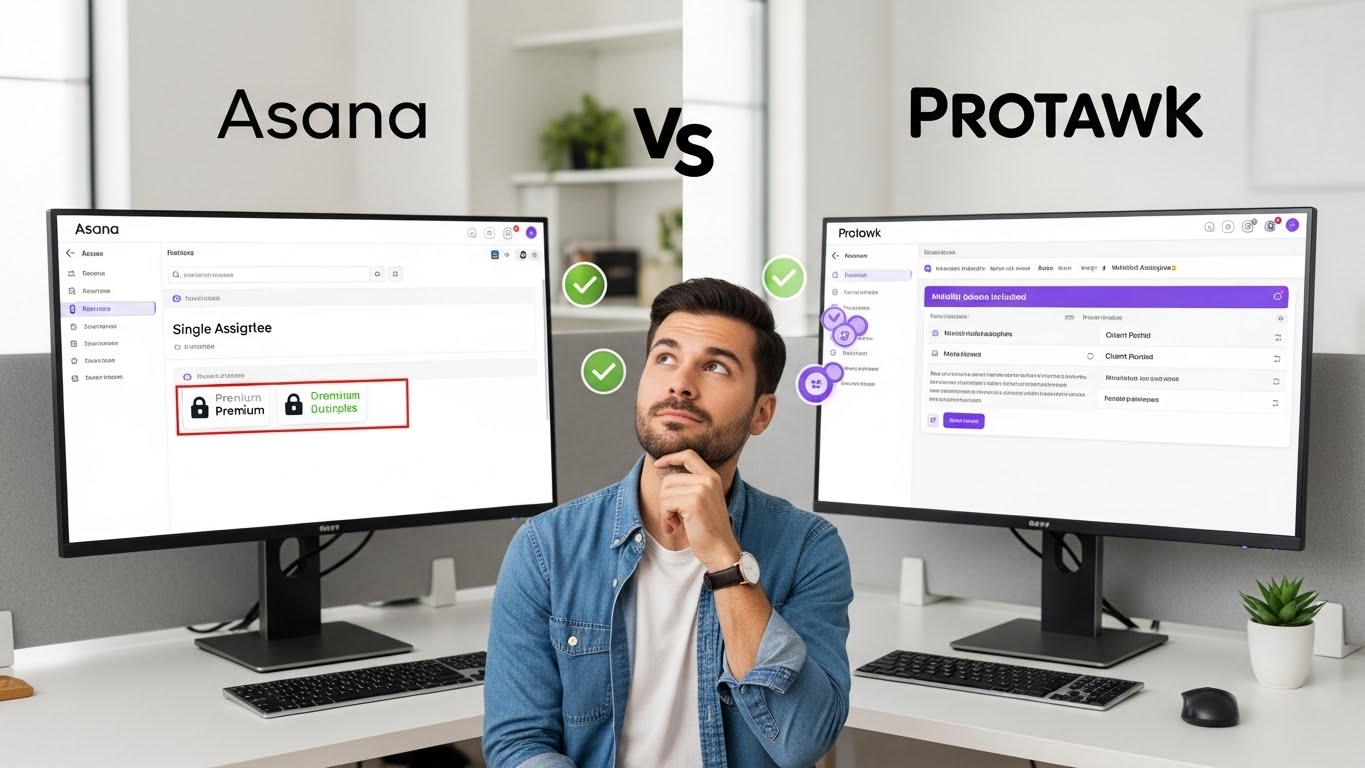
Let's address the elephant in the room. Asana only allows one assignee per task. This is the #1 complaint from Asana users, and it's been an issue for years.
Why This Matters
In real-world projects, tasks often require collaboration. A design review needs input from multiple designers. A content piece requires writer, editor, and stakeholder approval. A bug fix might involve frontend and backend developers working together.
With Asana's single-assignee model, teams resort to awkward workarounds:
Workaround 1: Duplicate Tasks Create the same task multiple times, once for each person involved. This clutters your project, creates sync issues, and makes progress tracking confusing.
Workaround 2: Subtasks for Each Person Break tasks into subtasks assigned to different people. This adds overhead, obscures the actual work, and makes simple tasks unnecessarily complex.
Workaround 3: Comments and @Mentions Assign to one person and @mention others. But mentioned people don't have the task in their "My Tasks" view, leading to missed work.
Workaround 4: Custom Fields Create custom fields for additional assignees. This is clunky, doesn't integrate with workload views, and requires premium plans.
How Protawk Solves This
Protawk supports multiple assignees per task with role designations. You can assign:
- Owner: Primary responsible person
- Collaborator: Active contributor to the task
- Reviewer: Person who approves the work
Every assignee sees the task in their personal dashboard. Notifications reach all relevant people. Workload calculations include everyone involved. No workarounds needed.
This single difference eliminates hours of administrative overhead and ensures collaborative work flows naturally.
Project Views: Flexibility Matters
How you visualize work affects how well you manage it. Both platforms offer multiple views, but the range differs significantly.
Asana's Views (5 total)
List View: Traditional task list with sections. Good for simple projects but becomes unwieldy with many tasks.
Board View: Kanban-style columns. Useful for workflow stages but limited customization options.
Timeline View: Gantt-style timeline. Requires Premium plan. Shows dependencies but lacks the polish of dedicated Gantt tools.
Calendar View: Tasks on a calendar. Basic functionality, primarily useful for deadline visualization.
Workflow View: Visual workflow builder. Enterprise feature for automation.
Protawk's Views (3 total)
Kanban Board: Drag-and-drop columns for workflow stages. Customizable columns, swimlanes, and WIP limits.
Gantt Chart: Full-featured timeline with dependencies, milestones, and multiple zoom levels (day/week/month/year). Included in all plans.
Calendar View: Tasks and milestones on a calendar. Supports multiple calendars and custom views.
Why More Views Matter
Different project phases and team members need different visualizations:
- Designers prefer visual layouts like Kanban
- Project managers need Gantt charts for timeline planning
- Team members use Calendar view for deadline tracking
With Protawk, everyone works in their preferred view while staying in sync. With Asana, you're limited to views that may not match your workflow.
Client Collaboration: Built-in vs. Bolted-on
For freelancers and agencies, client collaboration isn't optional-it's essential. This is where the platforms diverge dramatically.
Asana's Approach: Guest Access
Asana offers guest access for external collaborators. Guests can:
- View and interact with projects they're invited to
- Comment on tasks
- Be assigned work (with all the single-assignee limitations)
But there are significant limitations:
- Guests see the same interface as internal users (potentially confusing)
- No way to create client-specific branded experience
- Limited control over what clients can see and do
- No milestone approval workflows
- No payment integration
For professional client management, Asana requires bolt-on solutions like client portals from third-party tools, creating fragmentation and additional costs.
Protawk's Approach: Native Client Portal
Protawk includes dedicated client portal functionality:
Branded Experience: Clients access a professional portal that can be customized with your branding. It looks like your tool, not a generic project manager.
Selective Visibility: Choose exactly what clients see. Internal discussions stay internal. Clients see polished deliverables and relevant updates.
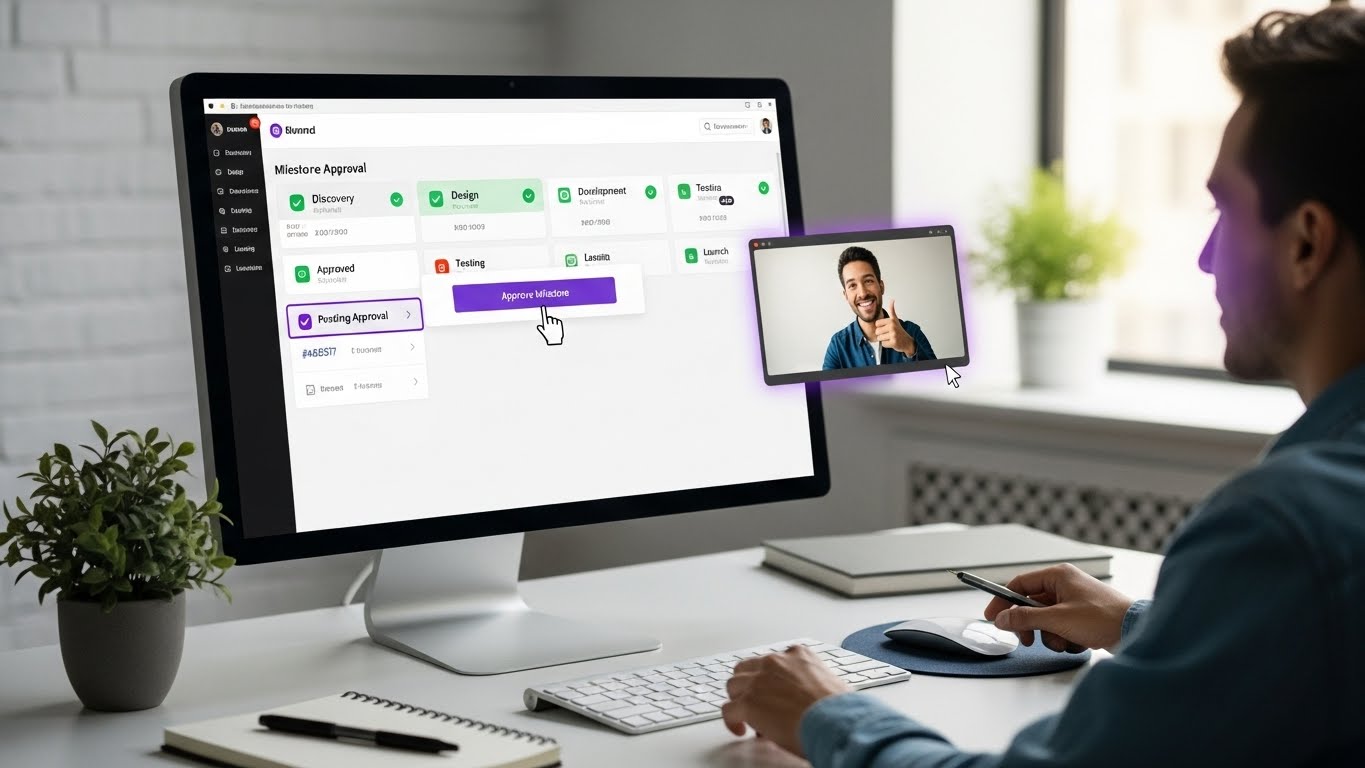
Approval Workflows: Built-in milestone approval with documented sign-off. No more email threads asking "is this approved?"
Payment Integration: Connect milestones to payments. When clients approve deliverables, trigger invoices automatically.
Simplified Interface: Clients see a streamlined view focused on what matters to them-not the full complexity of project management features.
For client-facing work, Protawk eliminates the need for separate client portal tools, email chains for approvals, and manual invoice tracking.
Pricing Comparison
Both platforms use per-user pricing, but the value delivered differs significantly.
Asana Pricing (2025)
| Plan | Price | Key Features |
|---|---|---|
| Basic | Free | Unlimited tasks, list/board views, 15 users max |
| Premium | $10.99/user/month | Timeline, forms, custom fields, unlimited users |
| Business | $24.99/user/month | Portfolios, goals, workload, advanced integrations |
| Enterprise | Custom | Admin controls, SAML, custom branding |
Hidden Limitations:
- Timeline (Gantt) requires Premium ($11/user/month)
- Forms require Premium
- Reporting requires Premium
- Custom fields require Premium
- Workload view requires Business ($25/user/month)
Protawk Pricing (2025)
| Plan | Price | Key Features |
|---|---|---|
| Free | $0 | All views, client portal, unlimited projects |
| Pro | $8/user/month | Advanced analytics, priority support |
| Team | $12/user/month | Custom workflows, advanced permissions |
| Enterprise | Custom | Dedicated support, custom integrations |
What's Included in Free:
- All 3 project views (Kanban, Gantt, Calendar)
- Client portal access
- Milestone tracking
- Real-time collaboration
- Basic analytics
Cost Comparison for a 10-Person Team
| Scenario | Asana | Protawk | Savings |
|---|---|---|---|
| Basic features only | Free | Free | - |
| With Gantt & forms | $1,319/year | Free | $1,319/year |
| Full features | $2,999/year | $960/year | $2,039/year |
For teams that need Gantt charts, forms, and client collaboration, Protawk delivers more value at a lower cost.
Real-Time Collaboration
Modern teams need real-time updates and communication. The platforms approach this differently.
Asana's Collaboration Model
Asana focuses on asynchronous collaboration:
- Comments on tasks
- Activity feeds showing changes
- @mentions for notifications
- Integration with Slack for real-time chat
This model works but requires additional tools for real-time communication. Most Asana teams run Slack alongside for quick conversations, creating the app-switching that project management tools should eliminate.
Protawk's Integrated Approach
Protawk includes Spaces-integrated team chat:
- Channel-based messaging (like Slack)
- Direct messages between team members
- Thread support for organized discussions
- File sharing within conversations
- Connected to tasks and projects
All real-time collaboration happens in the same platform. No switching to Slack for quick questions. No wondering which app has the conversation you need. Everything in one place.
Additionally, Protawk's real-time sync means everyone sees updates instantly. Change a task status, and everyone viewing that project sees it immediately-no refresh needed.
Ease of Use
Complexity kills adoption. If your team won't use the tool, features don't matter.
Asana's Learning Curve
Asana started simple but has grown complex over the years. New users face:
- Confusing distinction between projects, tasks, subtasks, and sections
- Hidden features behind multiple menus
- Different interfaces for different views
- Premium features that tease but don't work without upgrade
- Complex automation rules that require training
Enterprise teams often hire Asana consultants or dedicate internal resources to tool management. That's overhead small teams can't afford.
Protawk's Simplicity
Protawk prioritizes intuitive design:
- Consistent interface across all views
- Progressive disclosure (advanced features appear when needed)
- Sensible defaults (works immediately without configuration)
- Visual clarity (status is obvious at a glance)
- Minimal training required (most teams productive in hours)
We obsess over reducing friction. Every feature should feel natural, not require documentation. Teams should spend time on work, not on learning their work management tool.
Integrations: Different Philosophies
Asana's Integration Ecosystem
Asana offers 200+ integrations with popular tools:
- Slack, Microsoft Teams
- Google Workspace, Microsoft 365
- Zoom, GitHub, Jira
- Zapier for custom connections
This breadth is impressive but reflects a philosophy: Asana is one tool in your stack, connecting to others. You'll still switch between apps; Asana just tries to sync data between them.
Protawk's Built-In Approach
Protawk prioritizes built-in features over integrations:
- Chat is built-in (reducing Slack dependency)
- Video calls integrate directly (reducing Zoom switching)
- File management is native (reducing Drive/Dropbox juggling)
- Documents live alongside tasks (reducing Notion/Docs switching)
Core integrations exist (calendar sync, webhooks, API), but the philosophy is different: reduce the need for integrations by building essential features natively.
For teams tired of app-switching, Protawk's unified approach is refreshing.
Who Should Choose Asana?
Despite its limitations, Asana works well for certain scenarios:
Large enterprises with dedicated project management staff who can manage complexity and train users.
Teams already heavily invested in the Asana ecosystem with established workflows and extensive project history.
Organizations requiring specific integrations that Protawk doesn't yet support.
Teams where single-assignee tasks genuinely work (rare, but some workflows are truly individual-focused).
Companies with enterprise compliance needs that require Asana's specific certifications.
Who Should Choose Protawk?
Protawk excels for:
Freelancers and agencies who need client portal functionality, milestone approvals, and payment integration.
Small to medium teams (5-50 people) who want powerful features without enterprise complexity.
Teams requiring multi-assignee tasks where collaboration is the norm, not the exception.
Organizations seeking value who want comprehensive features without premium pricing.
Client-facing teams who need to collaborate professionally with external stakeholders.
Teams tired of tool sprawl who want chat, tasks, and files in one platform.
Visual thinkers who benefit from 8 different view options.
Migrating from Asana to Protawk
If you're ready to switch, migration is straightforward:
Step 1: Export from Asana
Asana allows CSV export of project data. Export the projects you want to migrate.
Step 2: Import to Protawk
Protawk's import tool maps Asana fields to Protawk equivalents. Tasks, assignments, due dates, and descriptions transfer automatically.
Step 3: Recreate Structure
Some elements require manual recreation:
- Custom fields need setup
- Automation rules need rebuilding
- Templates need creation
Step 4: Parallel Run
Run both tools briefly to ensure nothing was missed. Once confident, fully transition to Protawk.
Step 5: Train Your Team
Despite Protawk's simplicity, brief training ensures everyone starts strong. Focus on differences from Asana to accelerate adoption.
Most teams complete migration in one to two weeks, depending on data volume and complexity.
The Bottom Line
Both Protawk and Asana are capable project management platforms, but they serve different needs:
Choose Asana if:
- You're a large enterprise with dedicated PM resources
- You need specific integrations Asana supports
- Single-assignee tasks work for your workflow
- You're already heavily invested in the Asana ecosystem
Choose Protawk if:
- You work with external clients and need portal functionality
- Your tasks require multiple collaborators
- You want comprehensive features at a lower price
- You prefer fewer tools doing more
- You value simplicity alongside power
For freelancers, agencies, and small teams, Protawk delivers the collaboration features you actually need without the enterprise complexity you don't.
Try Protawk Free Today
The best way to evaluate any project management software is to use it with real work. Protawk's generous free tier lets you experience the full platform-including Gantt charts, client portals, and multi-assignee tasks-without credit card or commitment.
Import a project from Asana, invite your team, and see the difference firsthand. Most teams decide within the first week that Protawk is the right fit.
Switching project management tools feels daunting, but sticking with a tool that limits your team is worse. Make the switch to Protawk and experience what collaborative project management should feel like.