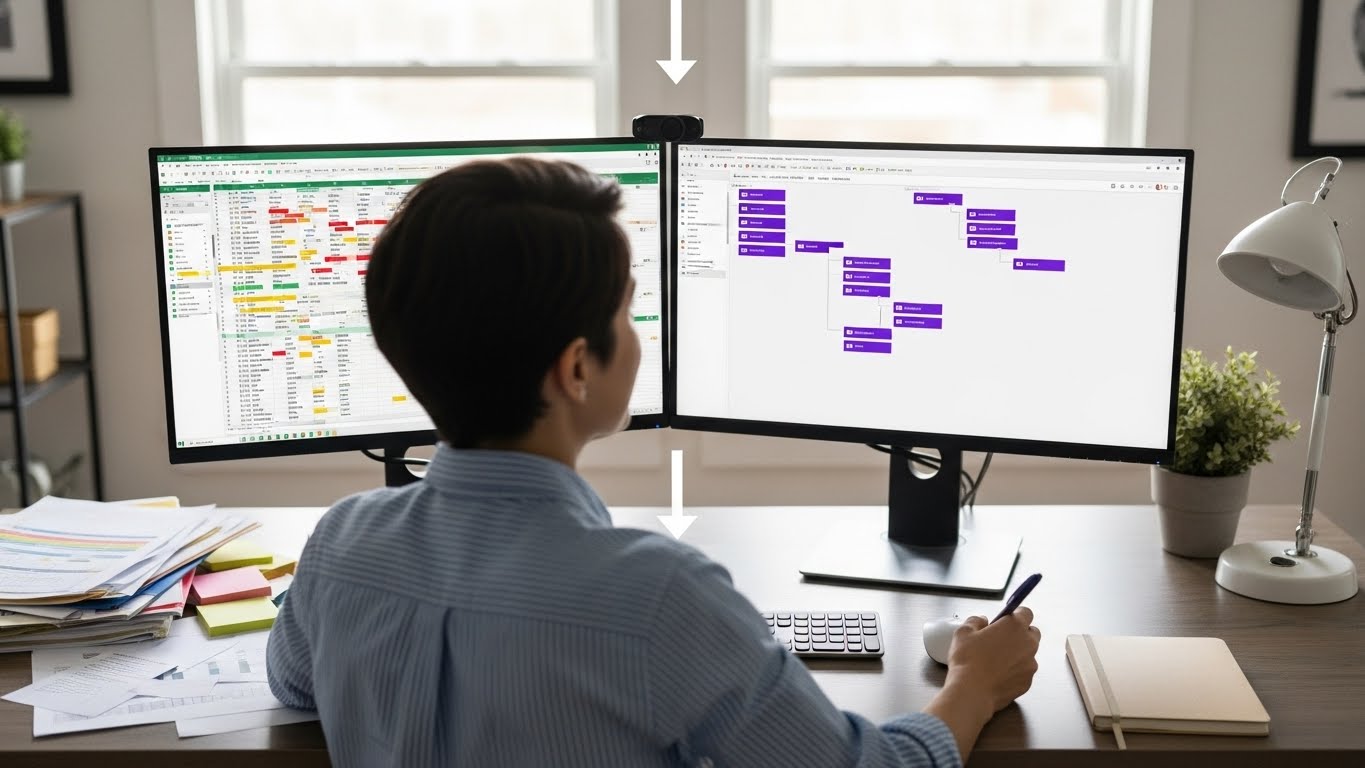

Your project lives in a spreadsheet. It started simple-a few tasks, some dates, maybe color coding. Now it's 47 tabs, 2,000 rows, and nobody remembers which column means what. Formulas break. Versions conflict. You spend more time maintaining the spreadsheet than managing the project.
Sound familiar? You're not alone. Spreadsheets are the default starting point for project tracking because they're available, flexible, and familiar. But they're not designed for project management, and eventually that shows.
This guide helps you recognize when you've outgrown spreadsheets, choose the right project management software, and migrate without losing your sanity or your data.
Why Spreadsheets Are Tempting
Before discussing why to leave, let's acknowledge why you started there:
Universal Availability
Everyone has spreadsheet access. Excel, Google Sheets, Numbers-no new software purchase required.
Familiar Interface
You already know how to use spreadsheets. No learning curve for basic tracking.
Complete Flexibility
Build whatever structure you want. No constraints, no predetermined workflows.
Free (Mostly)
Google Sheets is free. Excel comes with Office. No budget approval needed.
Works for Small Scale
Three projects, 50 tasks, one person? Spreadsheets handle it fine.
Signs You've Outgrown Spreadsheets
The Complexity Signals
Multiple Tab Explosion If your project file has 10+ tabs with different views, filtered versions, and archive sheets, complexity has exceeded spreadsheet capability.
Formula Fragility One wrong edit breaks critical formulas. Nobody dares modify the structure because something might break.
Version Chaos "Final_v3_ACTUAL_FINAL_revised.xlsx" lives alongside three other "final" versions. Which is current?
Search Frustration Finding specific information requires knowing which tab, which filter, which hidden column. Information exists but isn't findable.
The Collaboration Signals
Update Conflicts Multiple people editing simultaneously creates merge conflicts, overwritten changes, or corrupted files.
No Audit Trail Who changed that date? When? Why? Spreadsheets don't tell you.
Permission Limitations Everyone sees everything, or you create separate files for different audiences. Neither works well.
Real-Time Gaps Emailing spreadsheet updates means constant version confusion. Even Google Sheets has sync delays.
The Visibility Signals
Status Guessing You can't tell project status at a glance. Summarizing requires manual calculation or hoping the dashboard formulas work.
No Notifications When something changes or needs attention, nobody's automatically informed.
Calendar Blindness Due dates exist in cells, but you can't see them on a calendar without manual export.
Reporting Pain Creating status reports means manually compiling data from multiple sheets.
The Time Signals
Administrative Burden You spend more time maintaining the spreadsheet than doing project work.
Onboarding Friction New team members need training on your specific spreadsheet structure.
Formatting Over Function More energy goes into making the spreadsheet look right than making projects run right.
What PM Tools Provide That Spreadsheets Don't
Multiple Visualizations
Kanban Boards: See status as cards in columns Gantt Charts: See timeline with dependencies Calendars: See due dates visually Tables: Familiar spreadsheet-like view when needed
Same data, different views. In spreadsheets, you'd need separate tabs for each-manually synced.
Real Collaboration
Concurrent Editing: Multiple users without conflicts Comments: Discussion attached to specific items @Mentions: Direct attention to right people Activity History: Full audit trail of changes
Automation
Status Changes: Trigger notifications automatically Due Date Reminders: No manual checking required Workflow Rules: If X then Y Recurring Tasks: Auto-creation without copy-paste
Permissions
Role-Based Access: Different people see different things View-Level Permissions: Some see Kanban, others see reports External Access: Clients see their view, not your internal chaos
Mobile Access
Native Apps: Real functionality, not cramped spreadsheet viewing Offline Capability: Work without connection Quick Updates: Check and update from anywhere
Choosing the Right PM Tool
Not all PM tools suit all needs. Consider:
Team Size
Solo/Small (1-5 people):
- Simple interface
- Low overhead
- Quick setup
- Examples: Trello, Todoist, basic Protawk
Medium (5-25 people):
- Collaboration features
- Multiple views
- Permission controls
- Examples: Asana, Protawk, Monday.com
Large (25+ people):
- Enterprise features
- Advanced reporting
- Compliance/security
- Examples: Jira, Enterprise Asana, Monday Enterprise
Project Type
Simple Task Tracking: Kanban-style tools with minimal setup.
Timeline-Based Projects: Tools with Gantt charts and dependency management.
Client Projects: Tools with client portals and external collaboration.
Mixed/Complex: Tools with multiple views and flexible structure.
Budget
Free Options: Trello, basic Asana, ClickUp free tier Budget Options: Protawk, Notion, Basecamp Mid-Range: Asana Premium, Monday Standard Premium: Wrike, Smartsheet, Monday Pro
Learning Curve
Minimal Learning: Trello, Basecamp Moderate Learning: Asana, Protawk, Monday Significant Learning: Jira, Smartsheet, MS Project
Spreadsheet Familiarity
If your team lives in spreadsheets, choose tools with:
- Table/list views (feels familiar)
- Import from spreadsheet
- Export capability
- Custom fields (like columns)
The Migration Process
Phase 1: Preparation (1 Week)
Audit Current State Document what your spreadsheet tracks:
- What data columns exist?
- What's the status workflow?
- Who uses what tabs?
- What formulas calculate what?
Define Requirements From your audit, list what you need:
- Must have (blocking without it)
- Should have (significant value)
- Nice to have (convenient)
Select Tool Based on requirements:
- Test 2-3 options with free trials
- Use real project data in testing
- Involve team in evaluation
Phase 2: Setup (1 Week)
Structure Your Tool Create in your PM tool:
- Workspace/project structure
- Status workflow (columns become statuses)
- Custom fields (columns become fields)
- Views that match your needs
Create Templates Build templates for:
- Common project types
- Recurring task structures
- Standard workflows
Test Thoroughly Before migrating data:
- Add sample tasks manually
- Test workflow progression
- Verify views work as expected
- Check permissions
Phase 3: Migration (1-2 Weeks)
Clean Data First Before importing:
- Remove duplicate entries
- Standardize formats
- Archive completed/old items
- Fix obvious errors
Import Data Most PM tools support CSV import:
- Export spreadsheet to CSV
- Map columns to fields
- Import in batches
- Verify imported data
Manual Touch-Up After import:
- Set statuses correctly
- Assign tasks to people
- Add relationships/dependencies
- Fill gaps import missed
Phase 4: Transition (2-4 Weeks)
Parallel Running Temporarily use both:
- New work in PM tool
- Reference spreadsheet for history
- Gradually shift team habits
Team Training Train team on:
- Basic navigation
- Creating/updating tasks
- Using views
- Notification preferences
Feedback Loop During transition:
- What's working?
- What's confusing?
- What's missing?
- Adjust based on feedback
Phase 5: Completion
Full Transition Once team is comfortable:
- Stop updating spreadsheet
- Archive for historical reference
- Make PM tool the single source
Documentation Create guides for:
- How to use the tool
- Team conventions
- Process workflows
- Where to get help
Common Migration Mistakes
Mistake 1: 1:1 Recreation
Trying to recreate your spreadsheet exactly in the PM tool misses the point. PM tools work differently-use their strengths.
Mistake 2: Moving Everything
Not all spreadsheet data needs to migrate. Archive completed projects. Import only active work.
Mistake 3: Big Bang Migration
Switching everything at once creates chaos. Parallel running reduces risk.
Mistake 4: No Training
"It's intuitive" doesn't mean no training. Invest time in team onboarding.
Mistake 5: Wrong Tool
Choosing based on features you won't use rather than problems you need solved. Match tool to actual needs.
Mistake 6: Ignoring Resistance
Some team members prefer spreadsheets. Address concerns, demonstrate benefits, provide support.
Keeping What Works
Not everything about spreadsheets is bad. Keep the good parts:
Data Export
Choose PM tools that export to CSV/Excel. You may need spreadsheet analysis occasionally.
Table Views
Most PM tools have table/list views that feel spreadsheet-like. Use these for familiarity.
Custom Fields
Spreadsheet columns become custom fields. You can track the same data.
Formulas to Automation
Spreadsheet formulas that calculate values become automation rules in PM tools.
Migration Checklist
Before Starting
- Documented current spreadsheet structure
- Listed must-have requirements
- Tested PM tool options
- Selected tool and plan
- Got team buy-in
During Setup
- Created workspace structure
- Set up status workflow
- Added custom fields
- Built necessary views
- Tested with sample data
During Migration
- Cleaned source data
- Exported to CSV format
- Imported to PM tool
- Verified data accuracy
- Completed manual touch-up
During Transition
- Trained team on basics
- Established parallel use period
- Collected and addressed feedback
- Documented processes
- Set full transition date
After Completion
- Archived spreadsheet
- Confirmed single source of truth
- Created ongoing documentation
- Scheduled follow-up review
Why Protawk for Spreadsheet Migrants
Protawk works well for teams leaving spreadsheets:
Table View: Familiar spreadsheet-like interface when you want it.
8 Total Views: Kanban, Gantt, Calendar, and more-views spreadsheets can't provide.
Easy Import: Bring your data without complex mapping.
Simple Setup: Not enterprise complexity. Get started quickly.
Client Portal: Professional external access-something spreadsheets never offered.
Milestone Tracking: Structure around deliverables, not endless task lists.
Make the Move
Spreadsheets served their purpose. They got you started. But growing teams with complex projects need purpose-built tools.
The migration takes effort upfront. But the payoff-less maintenance, better visibility, real collaboration-is worth it.
Start with one project. Test the waters. See if project management without spreadsheets feels like freedom.
Import your spreadsheet data and experience project management that's actually designed for project management.
Because your time is too valuable for spreadsheet maintenance.